Start your self-hosted blog in 60 minutes (Part 3)
How to adding google analytic to your blog with gatsby-plugin-google-gtag and gatsby-plugin-react-helmet.
Google analytic is mandatory to keep track the traffic and viewer behaviour on your site. In this article, we will go through how to do it base on our previous work here and here.
Step 1 - Get your google analytic measurement ID
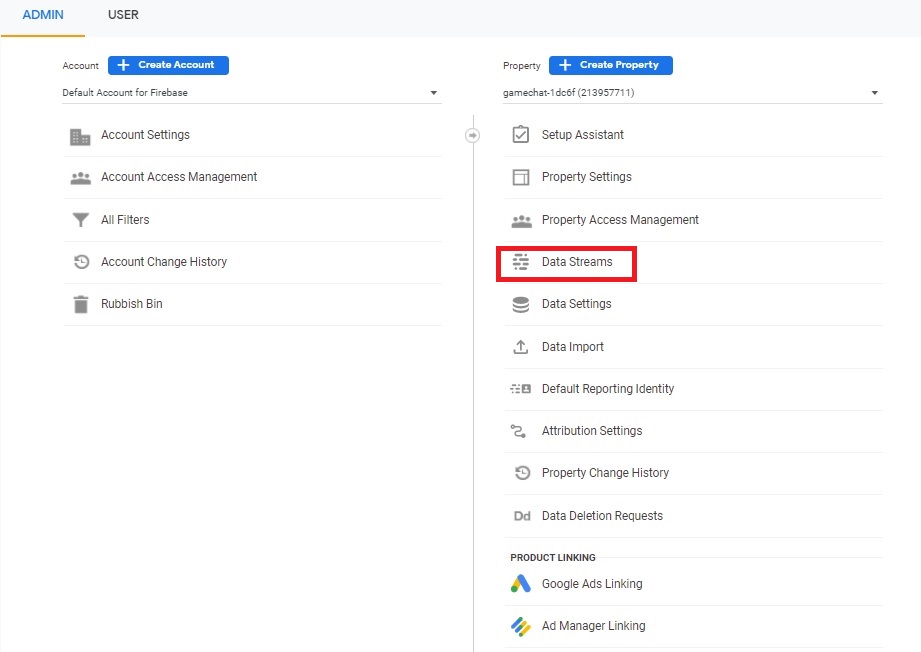
Login to https://analytics.google.com and go to ADMIN -> Data Streams.
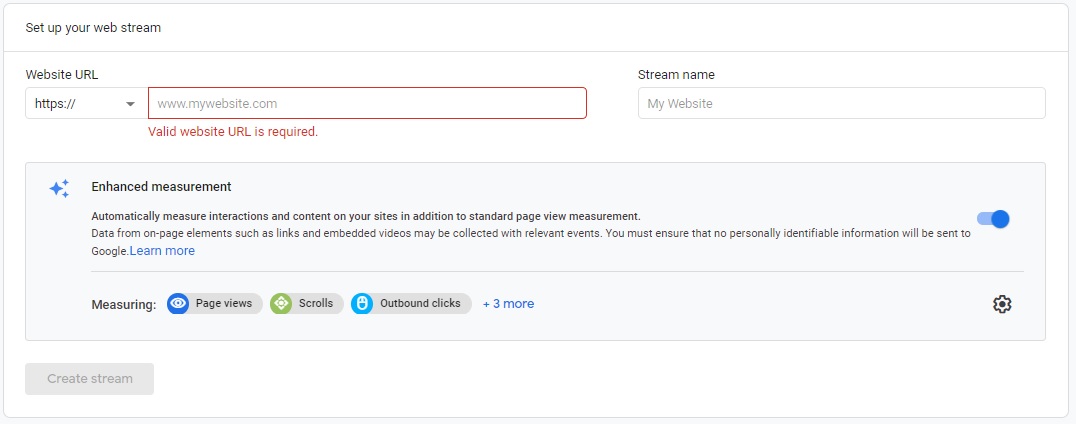
Then click Add stream and select Web. Fill in your site url and stream name value, for my case the url is andy.povalab.com and stream name can be anything and I pick "myblog"
After that select the newly created data stream and you will use the "measurement ID" which will be used to setup your site's configuration in next session.

Step 2 - Install and setup google-analytic plugin
Go to your development environment, add and install google-analytic plugin to your site by
- open package.json and add "gatsby-plugin-google-gtag": "^3.10.0" to the configuration file
- npm install
Open and add the following gasby-config.js where the trackingIds is the "measurement ID" we got in Step 1.
{
  resolve: 'gatsby-plugin-google-gtag',
  options: {
    trackingIds: ["G-CPMP5YWW1L"]
  },
}
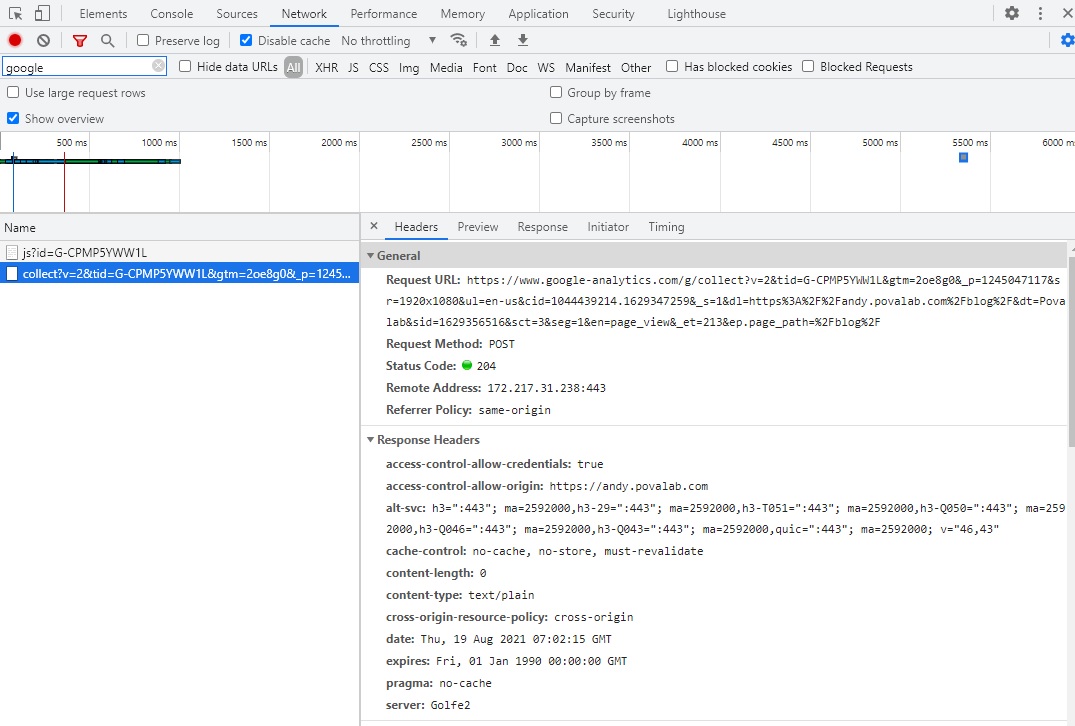
Commit the change and after Netlify build and deploy your latest changes your site will be able to be keep tracked by google-analytic. Open your site and you will see it will keep firing event to google-analytic backend.
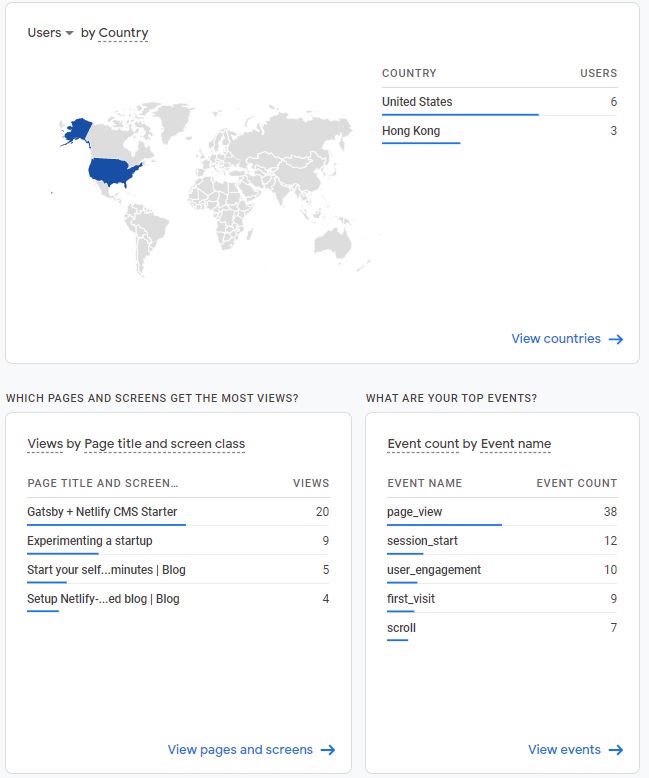
Go to https://analytics.google.com you will see the analytic result. I am amazed I already see some traffic to my site with two days as below
Step 3 - Using Helmet for SEO
The gatsby-starter-netlify-cms template I am using already got gatsby-plugin-react-helmet installed. What Helmet do is to embed information to the HTML page to enable easier search by google bot. When you view your HTML source with Helmet data you will see the following.

The Helmet data will be shown to the google analytic result as well. Looking at the google analytic report example in last session; we can see "Start your self...minutes | Blog" in the "PAGE TITLE AND SCREEN..." session. This helps us understand visitor's behavior on our site.
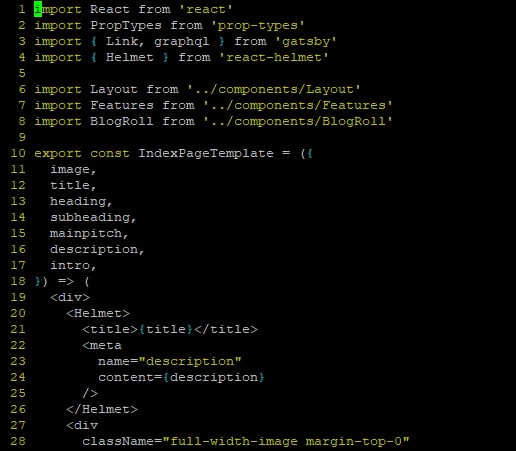
To use Helmet is pretty easy e.g. for the original template code I am using; it doesn't have a good Helmet for index-page.js. I enhance it by add line 4 and line 20 to 26.
Summary
In this article, we have go through how to add google-analytic for site monitoring and basic SEO via Helmet plugin. The source code can be found here:
The code have included a little bit of enhancement to control if a post is ready for viewer by adding a "online" flag. When the flag is false, the "in progress" post won't shown to your audience.
Thanks for reading. Please send me an email at povalab@gmail.com for any comment or questions. I am very happy to get feedkback from you.